☕ "You make this so easy." — John, FL💛 "She is truly amazing to someone like me that really struggles with computers." — John, FL📚 "I learned a bunch from the course today and am grateful for that." — John, FL☕ "You make this so easy." — John, FL💛 "She is truly amazing to someone like me that really struggles with computers." — John, FL📚 "I learned a bunch from the course today and am grateful for that." — John, FL
Real scam messages that landed on my own phone — kept here so you'll recognize them if they land on yours. Send this page to somebody you love.
☕ Scammers want you to feel worried, rushed, or frightened so you act before you think. So we're going to do the opposite. We're going to slow all the way down.
Gigi's Rule
STOP◆SCREENSHOT◆ASK◆VERIFY
Never let an unexpected message rush you into calling, clicking, paying, or giving out information.
Heard August 26, 2026🚨 Scam Alert
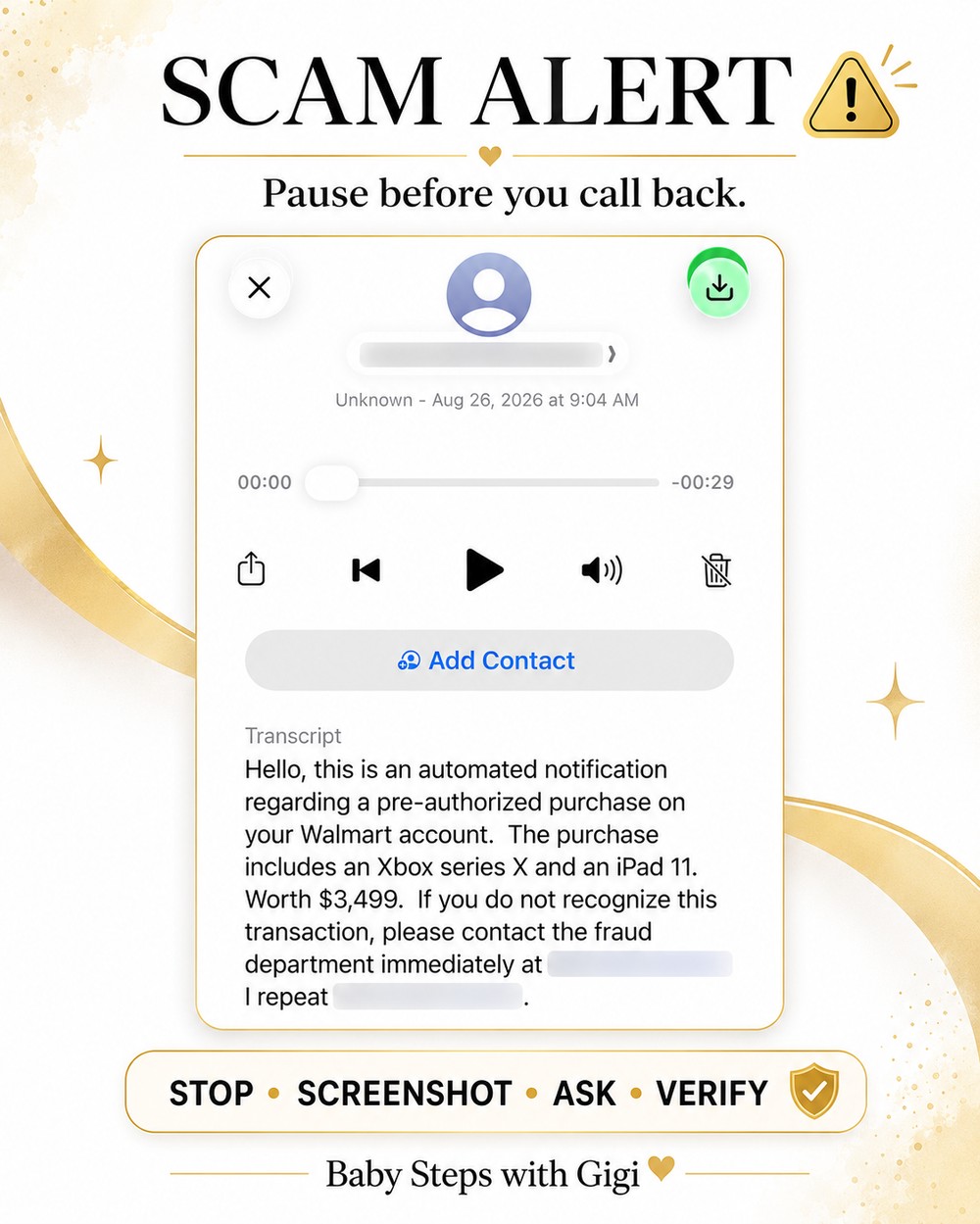
The $3,499 Walmart voicemail
Here's a real example from my own phone. A voicemail said there had been a $3,499 purchase on my Walmart account for an Xbox and an iPad, and told me to call a "fraud department" immediately if I didn't recognize it.
Instead of calling the number, I stopped.
I blurred out the callback number on purpose — please don't go looking for it.
What gave it away
Something expensive was supposedly charged to my account.
It told me to act immediately.
It gave me a telephone number and told me to call it.
It tried to frighten me before I had time to think.
What I did instead
I took a screenshot, asked AI whether it was a scam, and then opened the Walmart app myself to look at my real orders. There was no such purchase.
🛡️ Stay Safe
How I check a message
Four small steps. You don't have to understand technology to do a single one of them.
Step oneStop
Don't call, click, or pay anything yet. The hurry is the scam. A real company will still be there in ten minutes. Put the phone down and take a breath.
Step twoScreenshot
A screenshot is simply a picture of what is showing on your phone screen. Open the suspicious text, email, or voicemail, make sure the important part is visible, then:
On an iPhone
Press the Side button and Volume Up at the same time.
Quickly release both buttons.
It saves into your Photos.
On most Android phones
Press the Power button and Volume Down at the same time.
Release them.
It saves into your Photos or Gallery.
Your phone may work a little differently. If it does, ask AI "How do I take a screenshot on my phone?" and tell it what kind of phone you have.
Step threeAsk
Open your AI app, or go to claude.ai in your browser and start a new conversation. In the message box, tap the +, choose Add files or photos, and pick your screenshot. Then paste this:
Copy & paste this:"I received this on my phone. Is it a scam? Please explain the warning signs in simple language. Do not tell me to click or call anything in the message."
And you can add:"Tell me what I should do next to stay safe."
Step fourVerify
AI is a wonderful second set of eyes, but don't depend on AI alone for anything involving your money or your accounts.
Do not use the telephone number or the link inside the suspicious message. Go to the company's official app or website yourself.
If a voicemail says you bought something at Walmart, open your Walmart app yourself and look at your real orders. If it says it's your bank, call the number printed on the back of your card.
✉️ Emails & Texts
Not just voicemails — emails and texts too
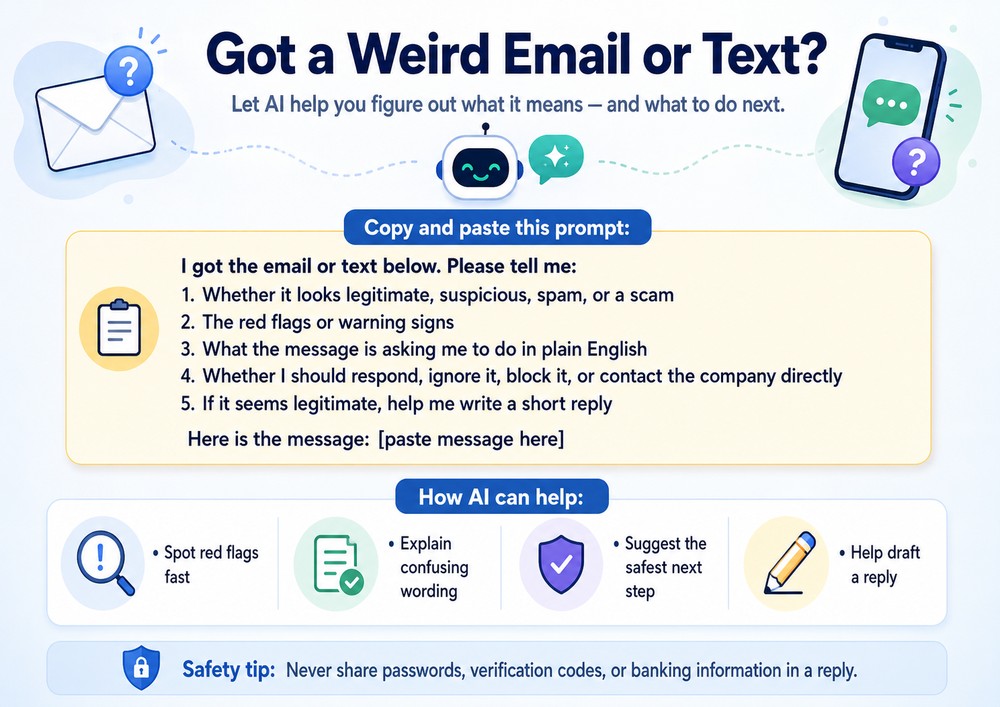
A voicemail is something you hear, so you take a picture of it. An email or a text is something you can read — so you don't even need a screenshot. You can simply copy the words and paste them in.
Everything else is exactly the same: don't click anything, don't reply, and don't call any number in the message until you've checked.
Copy & paste this, then add the message:"I got the email or text below. Please tell me: 1) whether it looks legitimate, suspicious, spam, or a scam; 2) the red flags or warning signs; 3) what the message is asking me to do, in plain English; 4) whether I should respond, ignore it, block it, or contact the company directly; 5) if it seems legitimate, help me write a short reply. Here is the message: [paste message here]"
🔒 Safety tip: Never share passwords, verification codes, or banking information in a reply — and don't paste them into the AI either.
🚩 Warning Signs
Be especially careful when a message…
Says something expensive was charged to your account.
Tells you to act immediately.
Gives you a telephone number and tells you to call it.
Threatens that your account will be closed or money will be lost.
Asks for passwords, account numbers, Social Security numbers, or verification codes.
Tells you to pay with gift cards, cryptocurrency, wire transfers, or cash.
Makes you frightened before giving you time to think.
One warning sign doesn't automatically prove something is a scam. But it means:
Stop first. Check second.
🔒 Before You Send
One more safety step before you send a screenshot
Look at your screenshot before you upload it. If it shows private information such as your:
Social Security number
Password
Bank account or credit-card number
Medical record number
Driver's license number
Other highly private information
…don't upload that part. Crop it out or cover it up first.
The most important lesson 💛
You don't have to understand technology to protect yourself with AI.
You only need to know how to say:
Say this:"Something about this doesn't feel right. Help me check it before I do anything."
That is exactly what AI is good for. One little Baby Step at a time.
Con amore, Gigi 💛
Know somebody who would have called that number back? Send them here first.