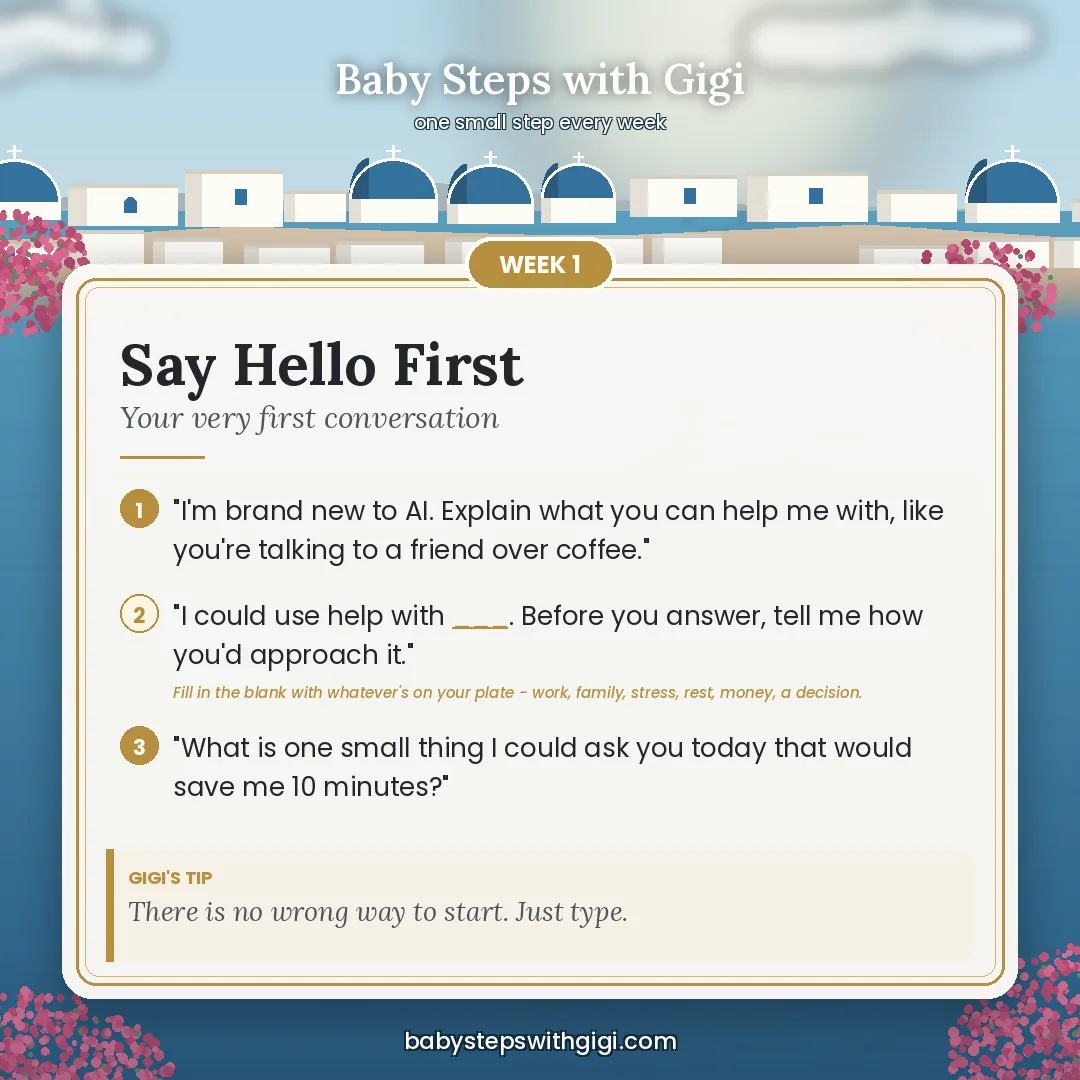
This week's prompt card
All 50 cards live on the site — here's the one I'm featuring this week. Three prompts you can paste straight in, and the middle one is always a fill-in-the-blank so you can make it about whatever's on your plate.
My little collection of handy AI prompts, tips, and tricks — the good stuff I pick up along the way, shared over a nice cup of tea. Check back often; I add to it whenever I learn something fun.
☕ Newest at the top. Copy any prompt in a box and paste it straight into Claude or ChatGPT — then make it your own!
All 50 cards live on the site — here's the one I'm featuring this week. Three prompts you can paste straight in, and the middle one is always a fill-in-the-blank so you can make it about whatever's on your plate.
The more ChatGPT understands about your life, your goals, and how you like to learn, the better it can help you. Print this little worksheet, answer whichever questions feel easy, and share your answers in a new chat. Your answers can grow and change over time!
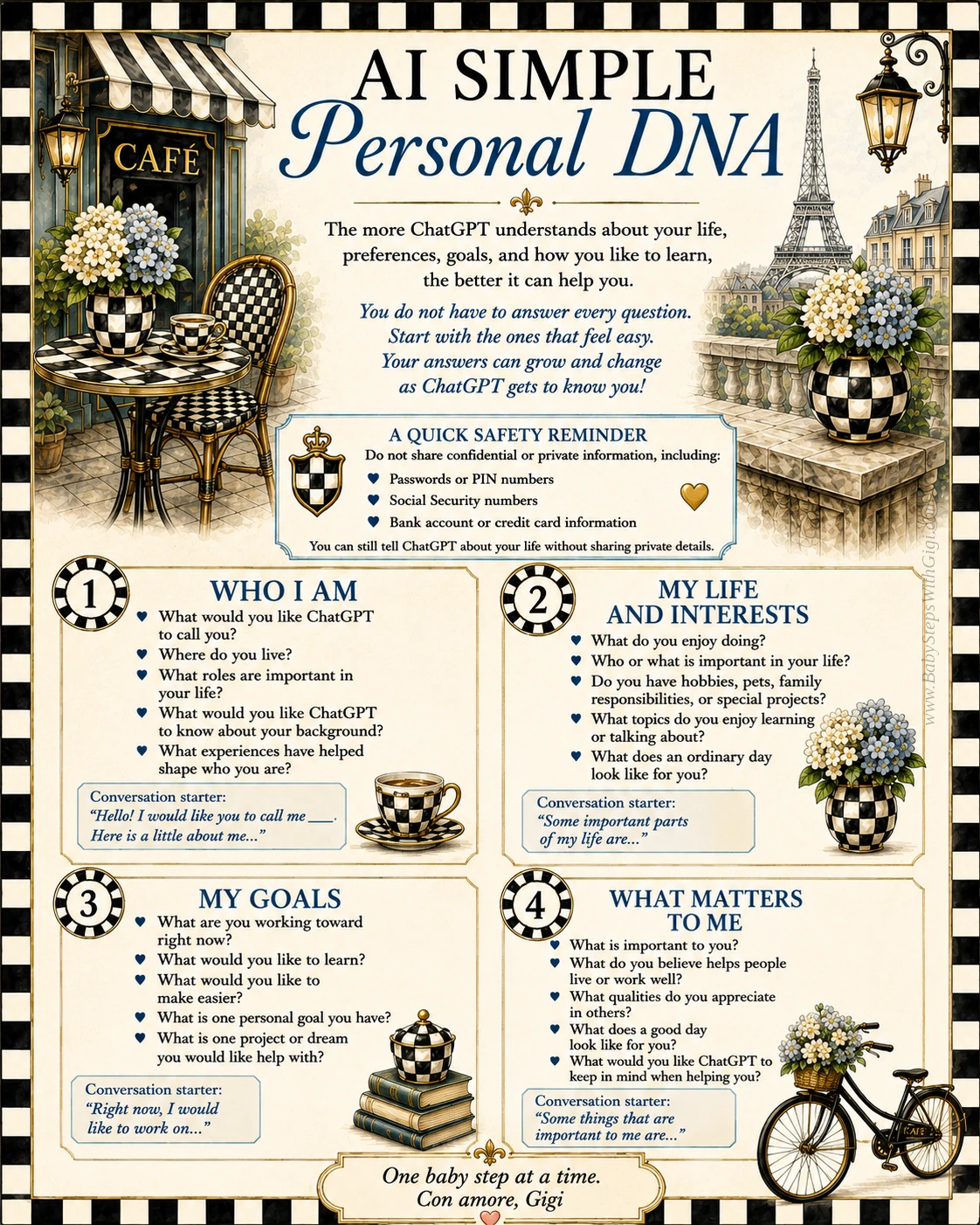
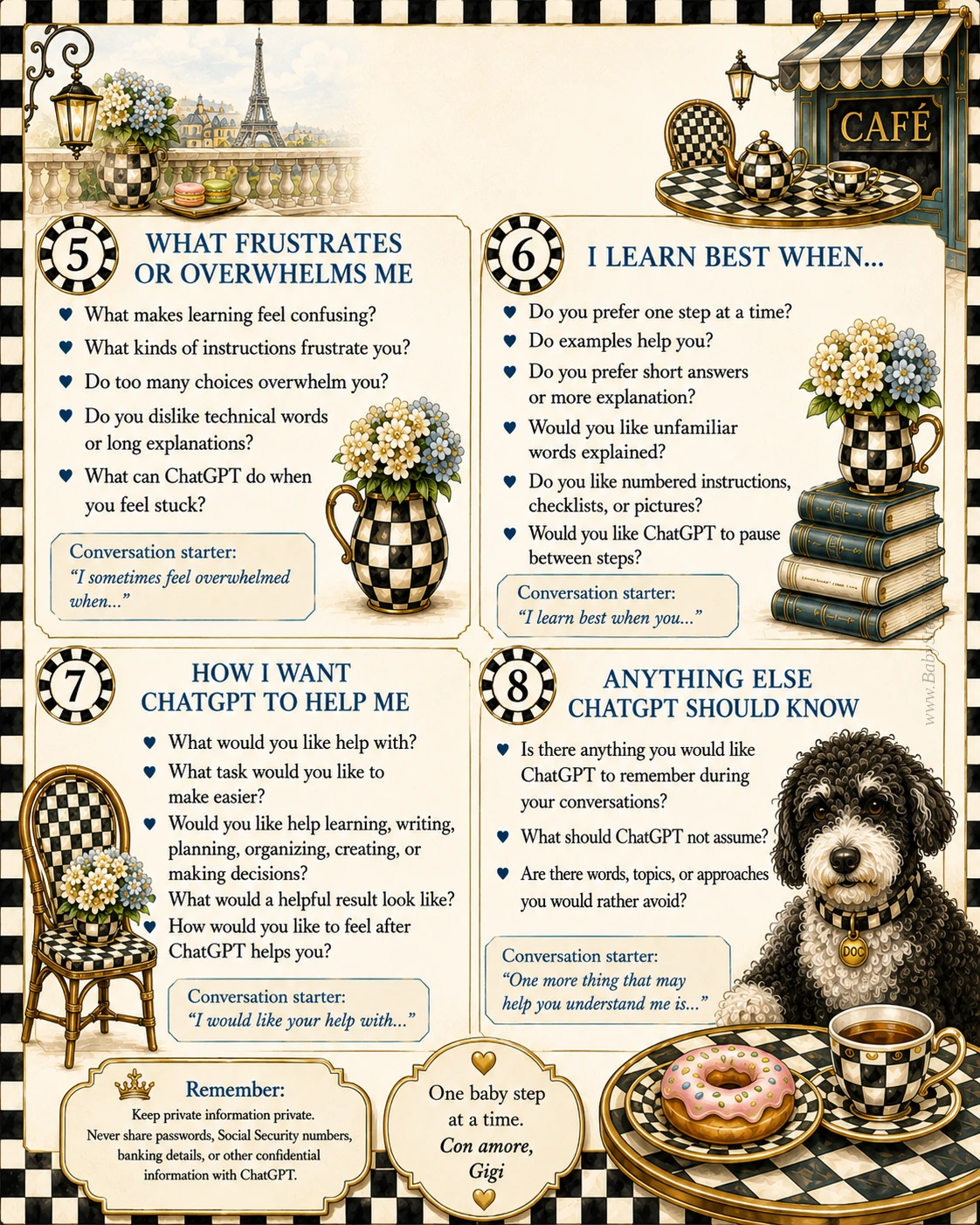
🔒 A quick safety reminder: Never share passwords, PIN numbers, Social Security numbers, or banking details — you can still tell ChatGPT plenty about your life without sharing private details.
This one grew up and moved into a room of its own. All my scam help now lives on the Scam Smart page — the copy-and-paste prompt for weird emails and texts, the four steps to take before you call anybody back, and the real scam voicemails that land on my own phone.
My very favorite trick: if an answer feels too complicated, just ask the AI to slow down. It never minds.
No more "what's for dinner?" panic. Tell the AI what you have and let it do the thinking.
When something on your screen puzzles you, you don't have to describe it perfectly. Take a screenshot or photo, add it to the chat, and ask away. The AI can "see" it and help.